From the marginalia
What I Use: Constraints and Good Iron
Most What I Use posts are vanity galleries: aluminium rectangles and SaaS subscriptions arranged for the reader’s envy rather than their use. The format invites it, and I will try not to fall in. There is, however, real value in seeing how someone else has shaped their friction. Tools are leverage; an environment that fights you bleeds time and focus you cannot get back.
I came to this work from kitchens and mining camps. In a kitchen, a knife roll is your livelihood. In a camp, bad gear can get you killed, or at the very least fired. Software is gentler than either, but the principle holds: the gear should disappear so the work can show through.
Here, then, is what I read, write, and build with. Local-first where it matters. No cloud accounts, no marketing copy, and as little ceremony as I can manage.
I. The Iron & The OS
A ThinkPad T14s AMD Gen 6: Ryzen AI 7 PRO 360, Radeon 880M integrated graphics, 32 GB of RAM, a 1920x1200 panel, btrfs on a 382 GB disk. A workhorse rather than a lifestyle accessory. The AMD chassis runs warm under load and cool under prose, which is the right way around. I keep Windows 11 Pro on a dual-boot partition for the handful of programs that demand it, but the work happens in Linux.
Fedora 44 Workstation, Hyprland on Wayland. Fedora’s pace suits me: current enough that I am not backporting anything myself, stable enough that I am not repairing the system on an afternoon I wanted for something else. Arch asks for more ongoing maintenance than I want to give a laptop, and Ubuntu keeps making decisions I would rather make myself.
A phone lives in the other pocket, an iPhone 16 Pro, but it is a triage device, not a workstation. We’ll come back to it.
II. Aesthetics as Ergonomics
Twelve-hour stretches in front of a screen are easier to survive when the screen is willing to compromise, and most of what follows was chosen for how it holds up at hour ten.
The terminal runs Gruber Darker. Everything else (Neovim, Emacs, the GTK theme, the bar, the lock screen, the standalone GUI tools I write) runs Kanagawa Dragon. It is the rare dark theme that earns its contrast: no searing accents, no neon to apologise for at midnight. The Emacs port I use is my own, kanagawa-dragon-nvim-emacs, because the existing Emacs Kanagawa packages had the palette right but covered nothing like enough faces. It is a work in progress; the Java buffer at treesit-font-lock-level 4 is my acceptance test.
Type is where I spend actual money. TX-02 does all the monospace work: 18pt semi-light in Doom Emacs, 10pt in Ghostty, and it is also the fixed-width face for Qt applications and every element of the lock screen, where the clock runs in TX-02 ExtraBold at 110pt. Tiempos Text at 20pt handles Org prose, swapped in by mixed-pitch so code blocks and tables stay in TX-02. Both are premium licensed faces, and that is the trade I accept: pay once, look at it forever. TX-02 draws zero and O with enough air between them that I never second-guess a literal in a hex dump.
Two more do the work TX-02 doesn’t. The bar is MonaspiceNe Nerd Font at 13px medium, chosen because the Nerd Font glyph coverage carries the entire icon set and I wanted no icon font in the stack at all. UI chrome is Söhne in Qt apps and Inter in the hyprtoolkit ones.
A correction to an earlier version of this page: it claimed IBM Plex Mono in the terminal. It never was. Source Serif 4 and IBM Plex Mono are what this website is set in, and nothing else. The Source Serif is at least load-bearing twice over, since Atrium ships it for body text.
The mouse pointer is phinger-cursors. The default Adwaita pointer is perfectly serviceable, but phinger has a larger hit-area, a cleaner silhouette, and a hand variant that actually looks like a hand. It vanished into habit inside a week and I have not wanted to go back since.
III. The Two-Brain Architecture
Trying to make one piece of software hold the whole of a working life is how you get mediocrity in both halves. VS Code wants to be an operating system. I want an editor. I keep writing code separate from running my life, on purpose.
- The brain: Doom Emacs. This is where my life is stored. GTD, spaced repetition, the journal, the course notebooks for Northern College, the monthly finance ledgers. The reason it is Emacs and not Notion or Obsidian is Org-mode: a plaintext data format that will outlive every SaaS roadmap. My
config.orgis a single source of truth; everything else generates from it. It took me eighteen months to be productive in Doom. I do not regret a minute. - The scalpel: LazyVim. Emacs is a Lisp machine and slow to start; that is a fine trade for a notebook and an unbearable one for a buffer of unsaved code. LazyVim is the cheapest path to keystrokes-into-LSP I have found.
rust-analyzer,pyright,jdtls,clangd. Kanagawa Dragon again, transparent background.
IV. The Terminal Ecosystem
The Suckless inheritance is honourable, and I patched my share of dwm and st in earlier lives. But I do not romanticise GNU coreutils when a generation of Rust and Go rewrites has fixed most of their sharp corners. The terminal is the place I spend the most consecutive minutes; it gets the most current tools.
Ghostty under zsh, with starship for the prompt and atuin for shell history I can actually search. Ghostty’s renderer is GPU-accelerated and stays smooth under font ligatures and 24-bit colour, which is more than I can say for some of its predecessors on this exact laptop.
The coreutils replacements have become muscle memory: eza for ls, bat for cat, rg for grep, fd for find. rg honours .gitignore by default, which is most of why I switched. bat syntax-highlights what it prints, and eza reports file sizes with units instead of raw bytes. zoxide learns my directory habits so I stop typing the same eight characters every morning, and lazygit is the rare TUI I prefer to the underlying command, which from me is a high compliment. fzf sits underneath most of it as the connective tissue.
V. The Desktop & Application Stack
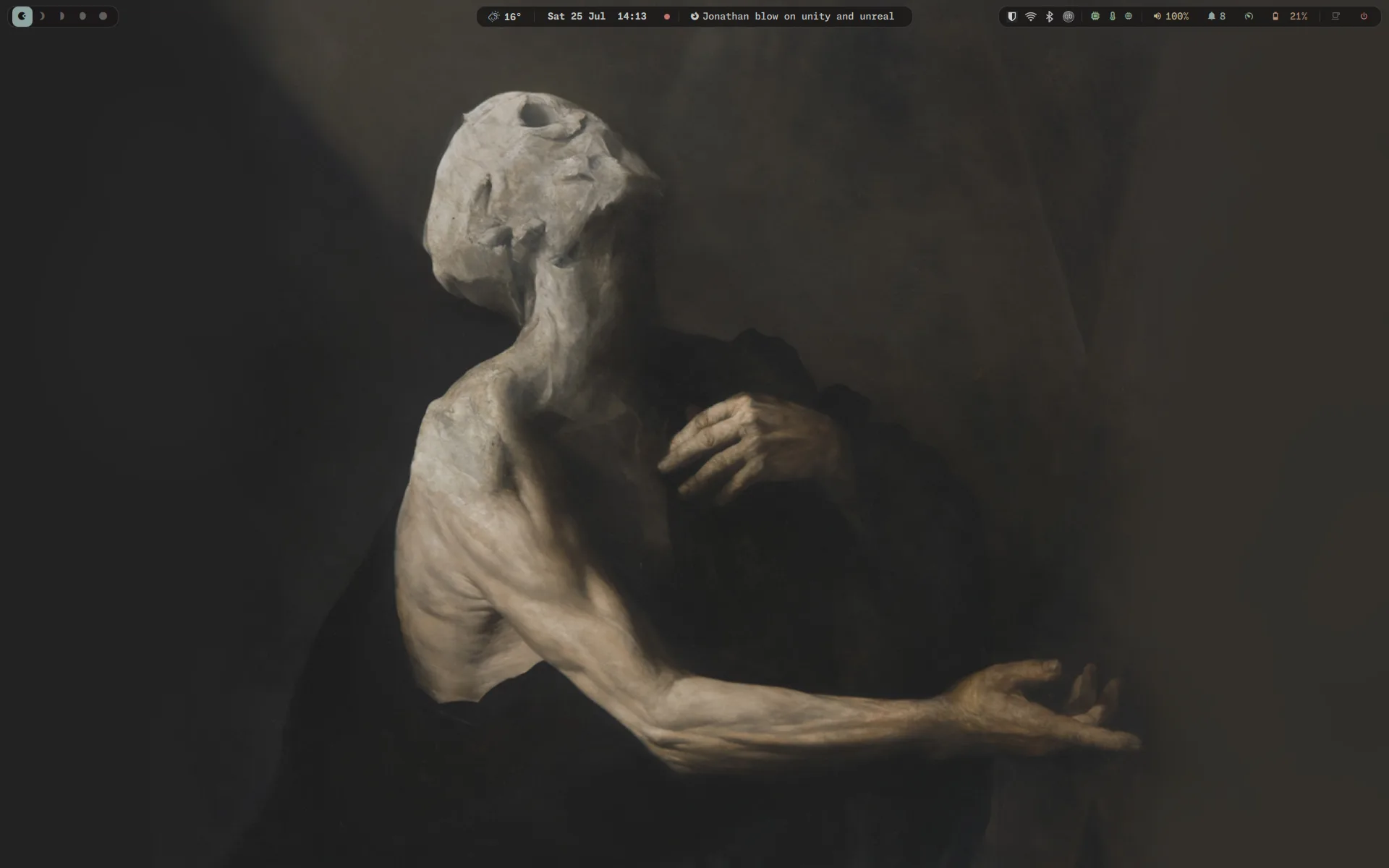
For years this was GNOME with a few defaults bent: Pop Shell for tiling, Vitals for sensors on the panel, Blur My Shell to sand the seams. What that stack was really doing was approximating a tiling window manager, so eventually I went and got one.
The desktop is Hyprland 0.56 on Wayland now, configured in Lua rather than the usual hyprland.conf, in a modular tree under ~/.config/hypr/. The GNOME session is not merely unused, it is uninstalled; /usr/share/xsessions/ is empty and there is no fallback, so a broken config drops me to a TTY rather than a safe desktop, and I edit it with correspondingly more care. A handful of GNOME applications stayed on merit, though (Control Center, Disks, Calendar), because leaving the shell was never an argument with the apps.
The bar is mine. dragonbar is about a thousand lines of QML on Quickshell, replacing a Waybar config I had spent two years accreting; the Waybar directory is still on disk as a deliberate rollback lever rather than as cruft. The rest of the session is SDDM behind a Kanagawa-matrix greeter, hyprlock with fingerprint unlock wired in, swaync for notifications, hyprlauncher for launching, sunsetr for night light, and Thunar as the file manager after Nautilus left with the rest of GNOME. GTK is themed Kanagawa-Dark-Dragon across GTK2/3/4, icons are kora, and Qt routes through hyprqt6engine so it doesn’t look like a stranger in its own session.
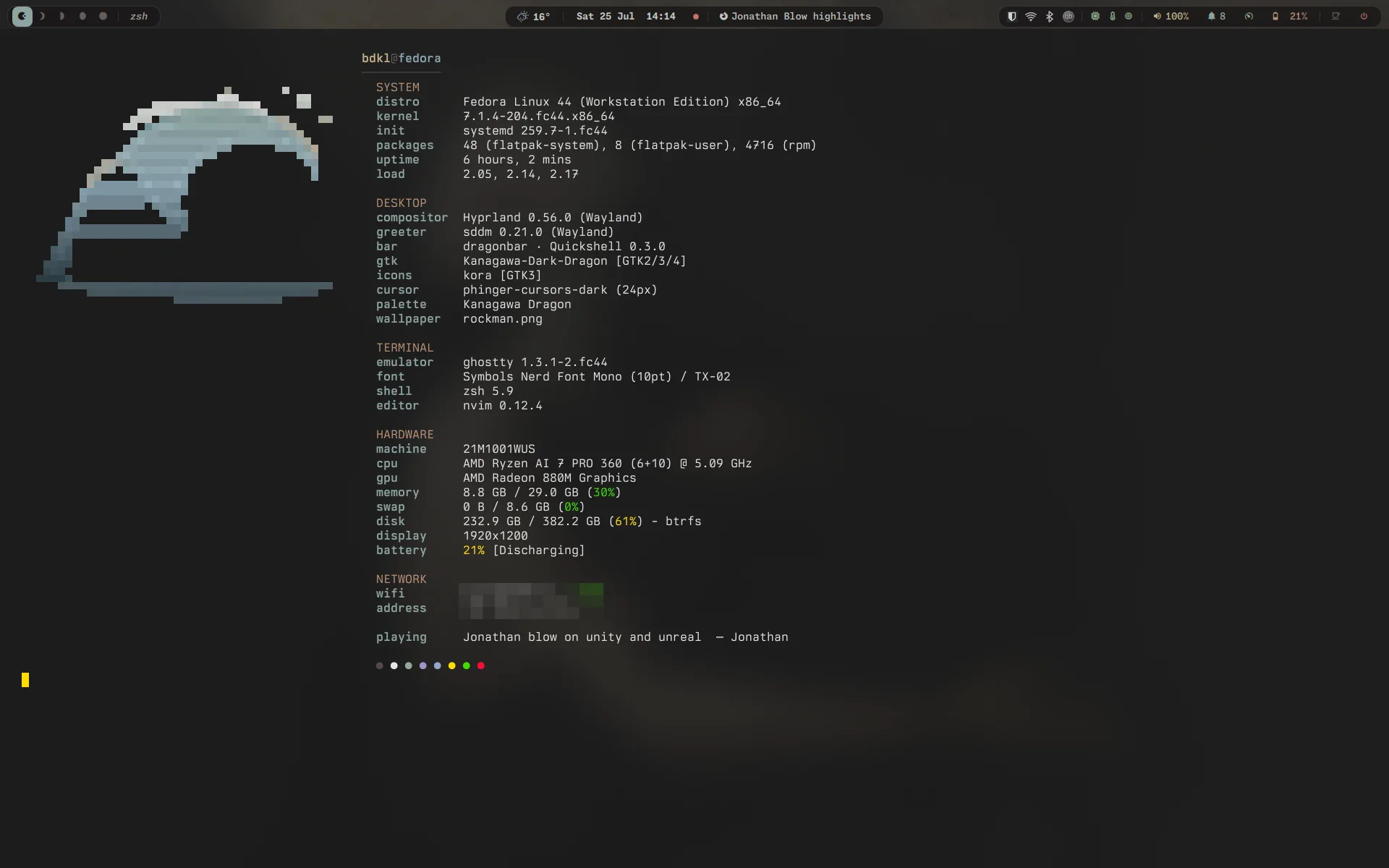
The fastfetch config is its own small vanity, and it does report the truth: compositor, greeter, bar, GTK theme, icon set, cursor, palette, and wallpaper, because those are the seven things I actually change. The network block is pixelated for the obvious reason.
The application layer is where I am pickiest, because a great deal of what passes for desktop software in 2026 is a web app in a native-looking window. I avoid those wherever a real alternative exists.
- Web. Zen Browser. A Firefox fork with the dignity of restraint; the vertical-tab sidebar finally stuck for me where the official one never did.
- Reading & media. Calibre is the corner of my desk the rest of the work organises around, and it gets its own section in a moment (§VI). For everything else: I read PDFs in my own Framework; comics in YACReader; music, podcasts, and audiobooks have all migrated into my own Conservatory, which absorbed the podcast client I had been building separately. The occasional album lands via Nicotine+ when the streaming services have shrugged at a rare release. Academic citations live in Zotero.
- Comms. Halloy for IRC, Fractal for Matrix, Tuba for Mastodon. All three are native, which keeps three more things out of the browser.
- Finance. Actual for the household envelope view; hledger for the plaintext double-entry ledger underneath it. Mint’s shutdown was a useful lesson in what not to build a decade of records on top of. Actual is the post-Mint generation done right, and hledger is the format I expect to still be able to read in twenty years.
- Security. 1Password. I am militant about local-first, and credentials are the load-bearing exception. Rolling your own sync protocol for secrets is a fool’s errand; I outsource that to people who have read more crypto papers than I have.
For RSS, an Inoreader backend reads my feeds because its filter rules are still ahead of the field. The local client today is NewsFlash, at least until I switch fully to my own Viaduct, which already runs my OPML well enough that admitting NewsFlash is still here is starting to feel slightly sheepish.
VI. The Library
Calibre is my favourite program on any operating system. That is a small confession to drop into a What I Use post, because Calibre is also one of the homeliest pieces of software you will ever boot: a Qt5 application with the visual confidence of a 2009-era tax form and a ribbon that has not been redesigned since the iPad was new. None of that matters. Underneath the surface is a fully indexed SQLite library, a real search-expression grammar with a proper parser, and a virtual-library system that lets a careful user build their own taxonomy and never lose track of where a book lives. It is the closest thing the open-source world has to a digital-archivist’s framework, and almost nobody talks about it as one.
My library runs to four-thousand six-hundred-and-change books. Mostly EPUB, about fifteen-hundred PDFs, a long tail of DjVu where the scan is the only thing that exists, and an embarrassed handful of MOBI from before I knew better. Almost all of them are catalogued, which is the part that took the years.
The taxonomy is the part I am most pleased with. Every tag is a path. There are three roots, Fic, NonFic, Gaming, and every other tag is dot-separated underneath them. Fic.Fantasy.Grimdark. Fic.SciFi.SpaceOpera. NonFic.Tech.CS.Compilers. Gaming.TTRPG.WoD.Vampire. Three-hundred-and-sixty-eight tags in the tree, mostly three levels deep with about seventy at four. That structure is the seed of Hermitage’s recursive tag browser; that grammar is what CalibreQuarry’s parser was written to handle.
On top of the tag tree sit twenty virtual libraries, all of them named Wing: the Grimdark & Epic Wing, the Sci-Fi Wing, the CS Wing, the Historical Fiction Wing, the Programming Wing, The Tabletop, The Classics. Calibre virtual libraries are search expressions saved against the library, and they compose. An IT Wing says (tags:"NonFic.Tech") and not (vl:"CS Wing" or vl:"Programming Wing"), carving its scope out of what other wings already own. An Unsorted Wing is the not of every other wing, so any book that escapes the taxonomy surfaces in the first place I would look. The whole arrangement is checkable: every book either belongs to exactly one wing or sits politely in the backstop until I file it.
Two custom columns earn their keep. Audience keeps adjacent fiction sorted without bleeding genres. Status is an enumeration (unread, reading, finished, abandoned, reference) and it is the field that turned the library from a hoard into a reading practice; an unread → reading → finished gradient that I can sort, filter, and report against.
Series fidelity is the other discipline. Five-hundred-and-fifty-four series in the database, the largest being Discworld at forty-one books, then the full Aubrey-Maturin, the full Vorkosigan Saga, the full Expanse, all of Dresden, all of Wheel of Time. Where a series matters, the gaps are filled. CalibreQuarry’s --audit series-gap mode was originally written against this library to catch the books I had told myself I would come back to and never did.
Most digital-library tools assume you want a Netflix-style infinite scroll. Calibre assumes you want a card catalogue and the muscle memory of a librarian, which is the assumption that holds up across a library you intend to keep for decades.
VII. The Reader: Ink & Type
The library lives on the laptop; the actual reading happens on a Kindle Oasis (last generation). The Oasis was the only Kindle worth owning: aluminium back, an asymmetric grip with hardware page-turn buttons, an actual warm-light slider. The only Kindle that ever felt like an object instead of a tablet. Amazon discontinued it. The current Kindle line is split between a basic plastic slab and a Scribe-branded notepad, and neither is the reader the Oasis was. The Voyage is gone; the Oasis is gone; Amazon’s premium e-reader segment is effectively gone. The state of the high-end e-reader market in 2026 is the most frustrating it has been in the device’s twenty-year history.
For a while that had me shopping. The PocketBook Era was the candidate I kept returning to: one of the few remaining independents, firmware sitting on Linux without trying terribly hard to hide it, a current-generation Carta panel, and no tether to a retail account.
I did something else instead. The Oasis is jailbroken and boots straight into KOReader, and the Amazon framework is not used at all. That single change did more for the device than any replacement would have. KOReader is a better reader than the stock software by a distance that is almost unfair: real typography control, real dictionary and statistics support, a plugin system, and a settings tree that assumes you might have an opinion. Buying a new device to escape Amazon’s software turned out to be the expensive way to solve a problem the community had already solved for free.
Colour e-ink stays off the table. The Gallery and Kaleido panels currently render black-and-white text visibly softer than the best monochrome Carta, and reading is the application I am least willing to compromise on. I will reconsider on the day a colour panel renders monochrome text the way a monochrome panel renders it today.
The fonts all come from Nico Verbruggen’s ebook-fonts, a curated collection of faces remetricked specifically for e-readers, currently at v4.1 and mirrored onto the device as a single directory of 173 files. It is the best thing of its kind I have found, and it saves digging through fifteen years of MobileRead thread history to assemble the same set by hand.
- Libron is the reading font. It is a modified Readerly with trimmed serifs on several capitals and reworked glyphs for a more neutral look, and it replaced Readerly outright in the collection’s Core set. It reads dense and patient, and it is what I see for hours a night.
- NV Legible Next is the interface font, which is Atkinson Hyperlegible Next under a shortened name. Atkinson was drawn by the Braille Institute for low-vision legibility, which turns out to be exactly the brief for menu text on a small grey panel you are reading in the dark. Setting it required a patch: KOReader has no UI font picker of its own, so
2--ui-font.luaadds one.
The device has become a small platform of its own. Three of my projects live on it: a sleep-screen patch that redraws the lock screen as a Kobo-style card over the cover with a random highlight as a pull-quote, a timezone patch that fixes every clock in the app on a framework-less install, and a Bookends preset that turns the footer into a navigation cockpit. A fourth, Colophon, reads the statistics database off it. That an Amazon e-reader ended up being the most hackable device I own is the best joke in this entire post. That an Amazon e-reader ended up being the most hackable device I own is the best joke in this entire post.
VIII. The iPhone: Triage & Consumption
A phone is a triage device. If real work is happening on a six-inch glass rectangle, something has gone wrong upstream, so the homescreen is arranged for speed.
Page one anchors on a tall Fantastical widget. Natural-language event entry remains its killer feature, and Apple’s calendar still cannot read lunch with M next Tuesday at 1. The dock is the working core: a Learning folder (Blackboard, Reminders, PCalc, Soulver), Messages, Safari, and Claude. The desktop is where the heavy lifting happens, but a high-reasoning model in my pocket has quietly become one of the most useful things I carry.
Around it: Raindrop.io for bookmarks, Overcast for podcasts (Smart Speed and Voice Boost are doing real audio-engineering work, not posturing), foobar2000 for local audio because it has never failed me in twenty years, and Awful because the SomethingAwful forums require their own client and I refuse to engage otherwise.
The folders break out cleanly. An Important drawer (Tangerine, Wealthsimple, Passwords, 1Password, Outlook, AnyList, Authy, LocalSend, Cronometer). A Feeds drawer (Reddit, WhatsApp, Mail, Ice Cubes for Mastodon, HEY for the email I want and not the email I am given, and NetNewsWire because the iOS port is still the gold standard). A Social drawer (Discord, LinkedIn, Steam, Spotify, Snapchat, Phone, LibraryThing, GitHub).
Page two is utility. A large Todoist widget shows today’s shared tasks; underneath it, a smart-stack widget rotates between CARROT Weather, Mail, and Gmail. CARROT Weather is there because the default app gives a polite shrug where I want a radar.
IX. Custom Code: Building What I Need
Eventually you get tired of compromising. Native GTK4, SQLite in WAL mode, a single-writer worker, FTS5 indexes where search has to be fast: that is the loose architecture I keep coming back to, and it is the entire reason these exist instead of an Electron lookalike of each one.
Before the list, a structural note. Every project here ships the same scaffolding. A public README.md for the front door. A spec.md that defines the contract, the file I read before changing semantics. A roadmap.md with phase-by-phase checkboxes that get ticked when a release lands. A patchnotes.md with newest entries at the top. A LICENSE and a logo.svg from day one. A single VERSION source of truth that pyproject.toml or Cargo.toml mirrors and never gets out of sync with. And a per-project CLAUDE.md that documents the project’s contract for the assistant I work with (more on that in §X). The scaffolding is half the value: it means I can drop back into any of these after weeks away and pick up where the last release left off, without re-reading the code to remember what the contract was supposed to be.
- Framework. A document viewer for PDF, DjVu, comic archives, XPS, EPUB, FB2, MOBI/AZW3, and Markdown. The space between feature-heavy Okular and bare MuPDF wrappers; a SumatraPDF-shaped experience for Linux. Three-tier cache, parallel rendering across eight MuPDF instances, a zero-copy MuPDF→Cairo pipeline. It opens immediately and then gets out of the way.
- Viaduct. A Linux port of NetNewsWire that I started because no Linux RSS client carried NetNewsWire’s manners. Single-writer SQLite, OPML as the source of truth, three databases in WAL mode, a neutered WebKit pane for the article view. Idles between 100–300 MB against a hard 500 MB ceiling enforced by an in-tree memory harness.
- CalibreQuarry. A stdlib-only Python toolkit that reads Calibre’s
metadata.dbdirectly for catalogs, audits, virtual-library exports, and analytics. The search-expression parser is at 100% parity with Calibre’s own. No third-party dependencies; installs ascquarry; complete software that I am not in a hurry to extend. - Hermitage. A native GTK4 gallery for Calibre libraries: read-only on
metadata.db, edge-to-edge cover grid, per-book accent tinting via median-cut quantization, a recursive tag-hierarchy browser that turns my dot-separated tags into a navigable tree. The Calibre client I want when I am browsing the library rather than curating it. - lattice-music. The music-collection counterpart to Quarry, but the filesystem is the source of truth and tags are read with
mutagen. Library tree, parallel FLAC/MP3/Opus integrity verification, per-genre wings the way Calibre virtual libraries work, a TUI for the days I want a single pane of glass over a six-thousand-track library. - Atrium. The largest piece. A native Linux task manager that wears an OmniFocus / Things 3 surface over an Org-mode core. Local-first SQLite, single-writer worker, FTS5, a hand-written Calibre-style search expression grammar. Two surfaces over one schema: a calm Simple Mode for what am I doing right now, and a full Builder Mode with Forecast, Agenda, Kanban, Review, Perspectives. I am slowly eating my own dogfood. Org-mode handles school and finance; Todoist with Rin handles shared chores; Atrium is consuming both.
- Conservatory. Calibre for audio. It owns and moves the music, podcast, and audiobook files on disk (the database is truth, inverting lattice-music), presents them through a foobar2000 Columns UI browse surface, and plays all three from one libmpv queue with a 10-band EQ, a DSP rack, and a waveform seek bar drawn from the track’s real loudness envelope.
- Colophon. A statistics viewer for KOReader that imports a copy of the device’s
statistics.sqlite3and draws its own Cairo charts: reading-speed trend, a when-do-I-read heatmap, inferred read-throughs, a reading-personality card. No charting crate and no new dependencies, because drawing them myself was the interesting part. - Carrel. A single-user reading room over the same Calibre library, with no login at all and
metadata.dbattached read-only. Its search bar routes through CalibreQuarry’s parser, which is whyauthor:"King"went from returning 0 results upstream to returning 55.
Every one of these exists because I wanted the thing and it did not exist, which is the only project-selection heuristic I have ever needed.
X. The AI Layer: Augmented Intelligence
I treat large language models as cognitive compilers, not search engines. They are wonderful at structural review, mechanical refactoring, boilerplate, and rapid synthesis. They are bad at facts, and they will never be reliable at facts in the way the marketing implies. Use them where the cost of being wrong is cheap and the value of being structured is high. This is the most controversial corner of the workflow and I have made peace with that.
The model is Claude Opus 5, the top of the line I can actually reach. For a stretch it was Claude Fable 5, a tier above; when US government pressure forced Anthropic to close off access to Fable, I dropped back to the best Claude still on the table. This line has now read Opus 4.7, then Fable 5, then Opus 4.8, now Opus 5: the name keeps moving and the tier is the part that doesn’t change. Not the smaller tiers, not the API for one-shots. Claude Max bundles it into the plan, so I leave it on and never look at the meter. I run it twelve to fourteen hours a day, every day, against the projects in §IX. The reasoning gap between the frontier model and the rest matters most at the design level. At the moments where I am sketching a schema or shaping a parser, the assistant either has the architecture in mind or it doesn’t, and the smaller tiers still lose the thread in a way the frontier model doesn’t.
The interface is Claude Code, in the terminal, by itself. No agentic harness, no IDE extension, no third-party orchestrator layered on top. There is a small cottage industry of AI-assistant wrappers and meta-tools at the moment, and most of it is an attempt to recoup ergonomic decisions the user could make for themselves. Mine are these. Plan mode for any non-trivial change. Tight, specific prompts. No guessing when something is genuinely ambiguous; the model comes back with a question instead.
The actual workflow lives in the CLAUDE.md files. There is a global one at ~/.claude/CLAUDE.md that carries my voice, my languages, my hard rules. No Docker. No cloud-only services. Tests are not optional. Don’t rely on my fonts. There is a workspace one at ~/.gitrepos/CLAUDE.md that maps which directories are portfolio code, which are exploratory, which are for friends, and which are read-only by policy. And there is a per-project one in every repo with that project’s contract: the spec, the conventions, the things that must not break. The three load in order, most-specific wins, and the result is a layered context that does the same job a long-tenured human collaborator does on a small team. There is no prompt-engineering theatre in any of it; they are the same instructions I would give a person if a person were available.
The other half is the memory system. The assistant writes its own notes against my projects, what I corrected, what I confirmed, what I told it to ignore, and reads them back when relevant. The notes are mine to audit, edit, and prune. Most of the corrections that used to recur every session don’t anymore.
Gemini Pro stays installed as a second opinion when I want to cross-check a structural decision against a different architecture. I would rather have it and not need it.
I expect this section to age the fastest of anything in this post.
Postscript (2026-09-13)
§X aged on schedule. On 2026-09-03 Claude Code was retired from this machine, and the agent client in its place is ZCode, running GLM models from Z.ai; the Claude Max line item is gone with it. What survived is everything in this section that actually did the work: plan mode, tight prompts, coming back with a question instead of a guess, and the layered context files. The global one now lives at ~/.zcode/AGENTS.md, converted from the original ~/.claude/CLAUDE.md (kept, frozen, at ~/.config/refs/CLAUDE.md); the workspace file never moved; and the per-project files keep their CLAUDE.md names, each paired with an AGENTS.md symlink, because the filenames are load-bearing convention rather than loyalty to any one tool.
Postscript (2026-09-15)
§IX has drifted too. The CalibreQuarry bullet says “stdlib-only” and “installs as cquarry”; neither has been true since the cquarry split: the package now builds on cquarry and vir-tui (tqdm for the progress bars), installs from PyPI as calibrequarry, and the write-capable curation verbs that landed through September make “complete software that I am not in a hurry to extend” the fastest-ageing sentence in this post.